Automatic Captions for
Instagram Reels & YouTube Shorts
Over 75% of short-form videos are watched on mute. EditCap automatically generates word-by-word karaoke captions, adds viral animations, and positions text inside vertical safe zones for maximum watch time.
No watermark on paid plans • Safe-zone preview • 4K 60FPS vertical export
Safe-Zone Positioning for Instagram Reels & Shorts
Never have your subtitles covered by like buttons, sound discs, or comment bars again.
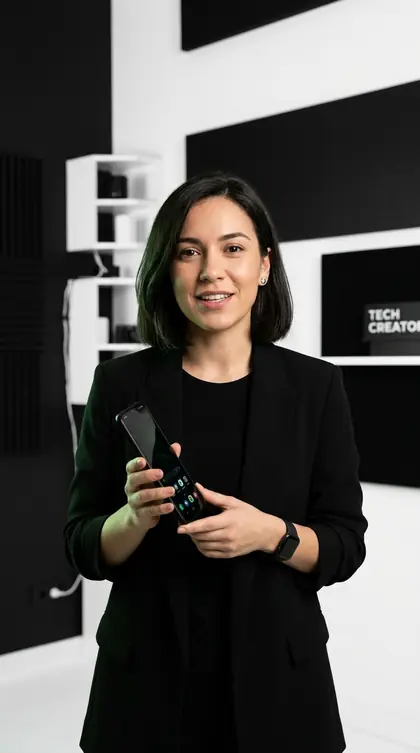
DOUBLE INSTANTLY
WITH AUTO CAPTIONS
Why Top Short-Form Creators Choose EditCap Over Default App Subtitles
Instagram and YouTube auto-captions are notoriously unreliable for regional accents, offer almost zero font styling, and frequently hide under system interface elements.
Syllable-Synced Karaoke Pacing
Synchronizes word reveals to the exact millisecond of your voice, pulling the viewer’s eye through the reel.
One-Click Preset Styling (Hormozi, Glitch, Minimal)
No timeline keyframing. Select from 30+ viral caption templates proven across 50M+ short-form views.
High-Bitrate 4K 60FPS & SRT Export
Download crisp 9:16 vertical MP4s or clean subtitle files compatible with Instagram, YouTube, TikTok, and Premiere Pro.
Viral Caption Styles Ready in One Click
Explore the most effective subtitle aesthetics for Reels, Shorts, and TikTok.
Hormozi Bold Pop
High-contrast yellow and white blocky font with micro-zoom impact on key trigger words.
IN 1.2 SECONDS
WITH HIGH RETENTION CAPTIONS
Karaoke Beat Wave
Syllable-by-syllable highlight color shift that keeps viewer eyes locked onto your voice.
WORD BY WORD
ON SILENT AUTO-PLAY
Cyber Glitch Tech
Modern kinetic glitch styling with neon green borders tailored for tech and commentary creators.
WATCH THIS NEXT
BEFORE YOU POST YOUR REEL
How to Add Automatic Captions to Reels in 3 Steps
Generate burned-in animated captions without tedious manual typing.
Upload Vertical Video
Drag and drop your raw 9:16 clip into EditCap Studio. Works seamlessly with MP4, MOV, and WEBM formats up to 4K resolution.
Auto-Generate & Style
Our AI caption generator automatically transcribes spoken audio into synchronized subtitles. Pick your favorite animation style with zero keyframing.
Export 4K Video or SRT
Render a crisp, high-bitrate 4K vertical MP4 file with burned-in subtitles, or download standalone SRT files to upload directly to YouTube Studio.
Frequently Asked Questions: Reels & Shorts
Clear answers about subtitle positioning, video retention, and export quality.
Why do burned-in captions perform better than Instagram's built-in captions?
Burned-in video captions guarantee that 100% of viewers see your text, regardless of their device settings or app bugs. Furthermore, EditCap's dynamic word-level karaoke animations create psychological visual momentum that keeps viewers watching through the critical first 3 seconds.
Will my captions get blocked by the Reels like button or caption description?
No. EditCap's safe-zone guidelines keep your text centered in the optimal viewing area, well away from Instagram's right-hand action column (like, comment, share) and bottom audio title overlay.
Can I use EditCap for YouTube Shorts and TikTok as well?
Yes. All vertical 9:16 caption presets and safe-zone layouts are fully compatible with YouTube Shorts, TikTok, and Instagram Reels.

Ready to Turn Raw Clips Into Viral Short-Form Videos?
Join over 200+ creators on Reels, TikTok, and Shorts using EditCap to burn automated viral captions in under 60 seconds.
Caption My First Video Free ↗